インストール†
Ubuntu 18.04 へのインストール†
- 公式サイト(Linux)
- 必須前提パッケージは全て事前にインストール済だった
- bash curl file git 2.x mkdir rm unzip which xz-utils zip
- libglu1-mesa (libGLU.so.1)
- インストールチェック(専用コマンドが用意されている)
[local] munakata:~$ flutter doctor
Initializing Flutter
Downloading https://storage.googleapis.com/flutter_infra/releases/stable/linux/flutter_linux_1.22.1-stable.tar.xz
beta/linux/flutter_linux_1.22.0-12.4.pre-beta.tar.xz
  % Total    % Received % Xferd  Average Speed   Time    Time     Time  Current
                                 Dload  Upload   Total   Spent    Left  Speed
100  513M  100  513M    0     0  10.8M      0  0:00:47  0:00:47 --:--:-- 11.1M
curl: (6) Could not resolve host: beta
Flutter initialized
Flutter 1.22.1 • channel stable • https://github.com/flutter/flutter.git
Framework • revision f30b7f4db9 (6 days ago) • 2020-10-08 10:06:30 -0700
Engine • revision 75bef9f6c8
Tools • Dart 2.10.1

╔════════════════════════════════════════════════════════════════════════════╗
 ║                 Welcome to Flutter! - https://flutter.dev                  ║
 ║                                                                            ║
 ║ The Flutter tool uses Google Analytics to anonymously report feature usage ║
 ║ statistics and basic crash reports. This data is used to help improve      ║
 ║ Flutter tools over time.                                                   ║
 ║                                                                            ║
 ║ Flutter tool analytics are not sent on the very first run. To disable      ║
 ║ reporting, type 'flutter config --no-analytics'. To display the current    ║
 ║ setting, type 'flutter config'. If you opt out of analytics, an opt-out    ║
 ║ event will be sent, and then no further information will be sent by the    ║
 ║ Flutter tool.                                                              ║
 ║                                                                            ║
 ║ By downloading the Flutter SDK, you agree to the Google Terms of Service.  ║
 ║ Note: The Google Privacy Policy describes how data is handled in this      ║
 ║ service.                                                                   ║
 ║                                                                            ║
 ║ Moreover, Flutter includes the Dart SDK, which may send usage metrics and  ║
 ║ crash reports to Google.                                                   ║
 ║                                                                            ║
 ║ Read about data we send with crash reports:                                ║
 ║ https://flutter.dev/docs/reference/crash-reporting                         ║
 ║                                                                            ║
 ║ See Google's privacy policy:                                               ║
 ║ https://policies.google.com/privacy                                        ║
╚════════════════════════════════════════════════════════════════════════════╝

Doctor summary (to see all details, run flutter doctor -v):
[✓] Flutter (Channel stable, 1.22.1, on Linux, locale ja_JP.UTF-8)

[!] Android toolchain - develop for Android devices (Android SDK version 30.0.1)
    ! Some Android licenses not accepted.  To resolve this, run: flutter doctor --android-licenses
[!] Android Studio (version 4.0)
    ✗ Flutter plugin not installed; this adds Flutter specific functionality.
    ✗ Dart plugin not installed; this adds Dart specific functionality.
[!] VS Code (version 1.50.0)
    ✗ Flutter extension not installed; install from
      https://marketplace.visualstudio.com/items?itemName=Dart-Code.flutter
[!] Connected device
    ! No devices available

! Doctor found issues in 4 categories.
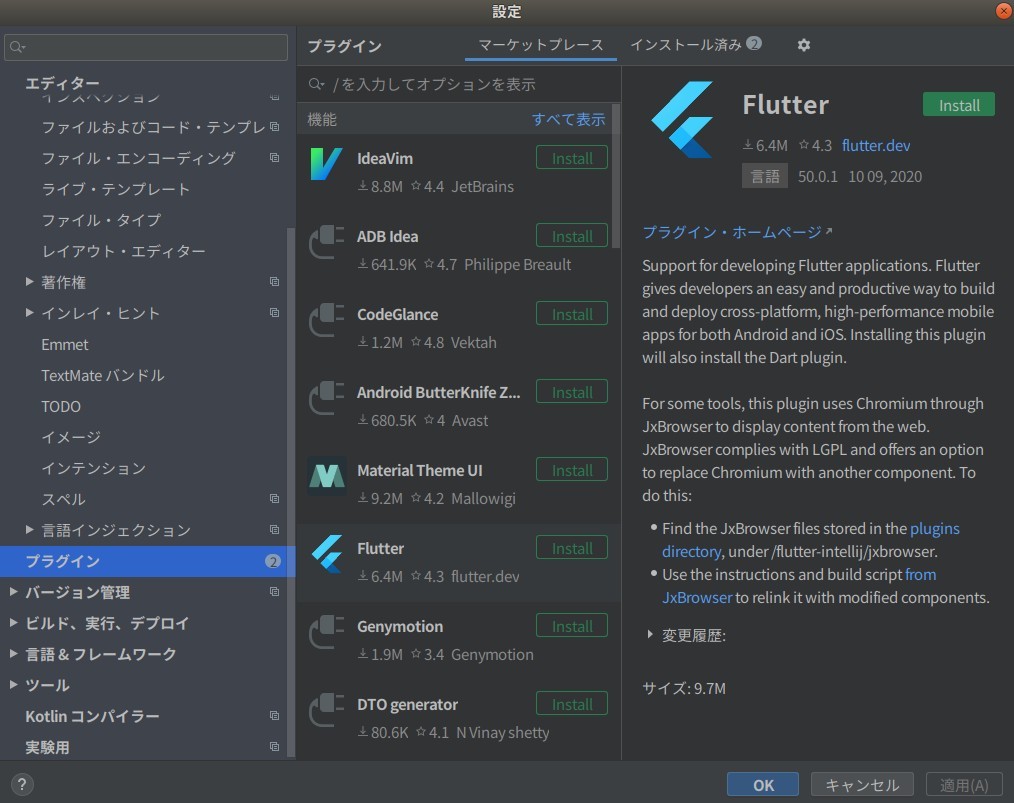
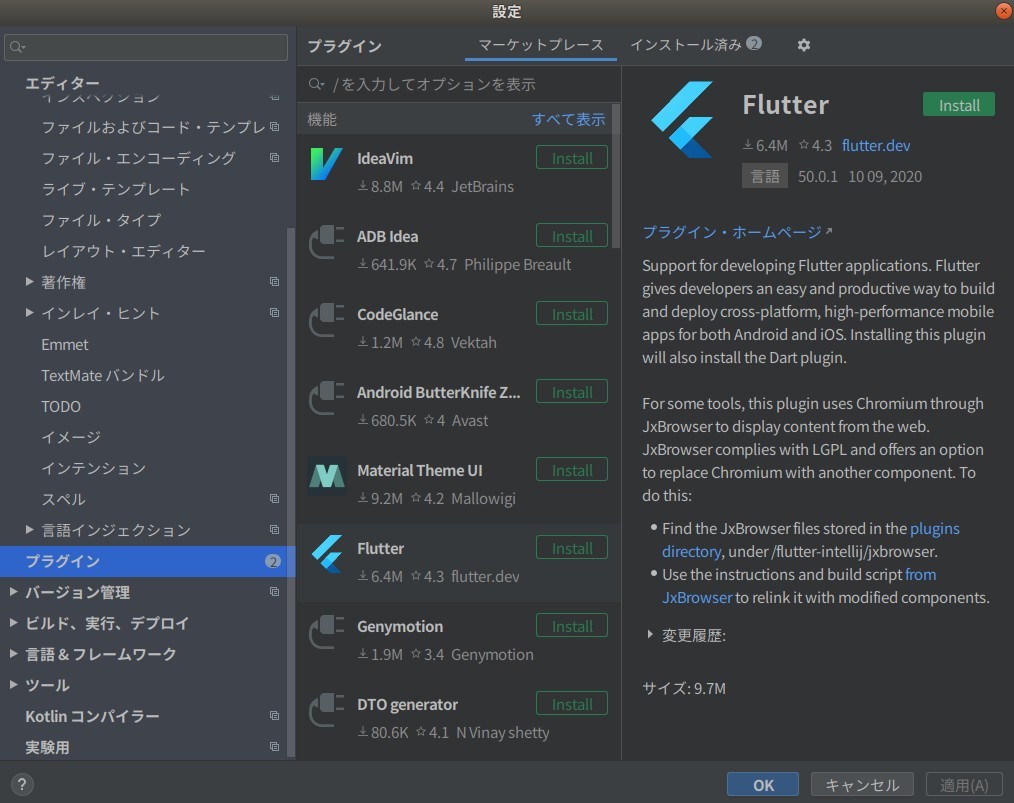
- Android Studio plug-in (Flutter, Dart)
- Flutter plug-in のインストールで同時に Dart plug-in もインストールされた
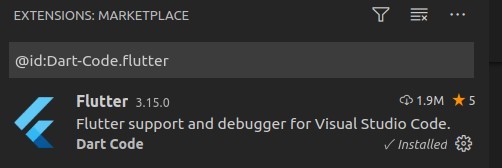
- Visual Studio Code Dart plug-in
- 再チェックで問題が無くなった
[local] munakata:~$ flutter doctor
Doctor summary (to see all details, run flutter doctor -v):
[✓] Flutter (Channel stable, 1.22.1, on Linux, locale ja_JP.UTF-8)
[✓] Android toolchain - develop for Android devices (Android SDK version 30.0.1)
[✓] Android Studio (version 4.0)
[✓] VS Code (version 1.50.0)
[✓] Connected device (1 available)

• No issues found!
- PATH の設定は不要だった(snap でインストールした時に自動追加されていた)
Android Studio へのインストール†
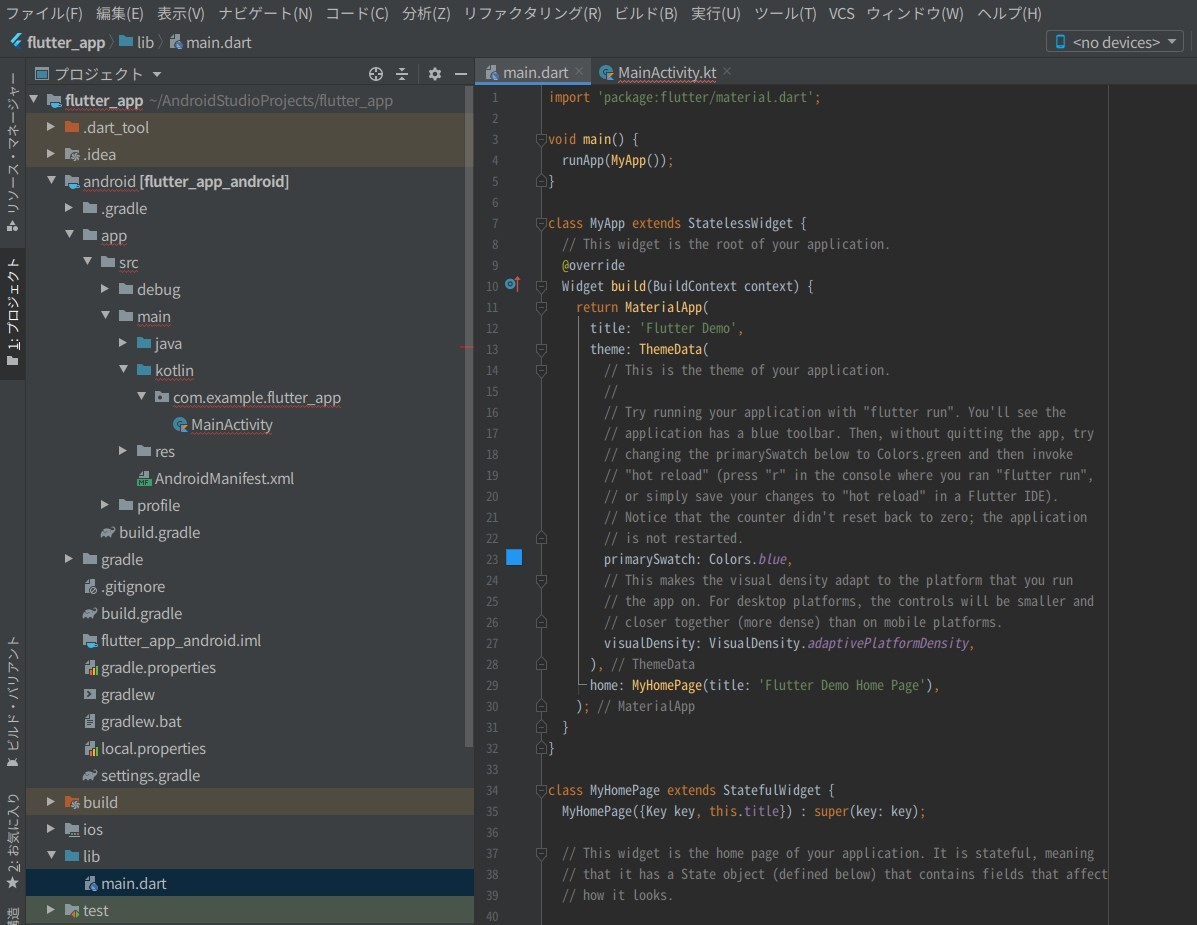
- 上記の Flutter インストール中に Android Studio に Flutter plug-in と Dart plug-in のインストールを完了している
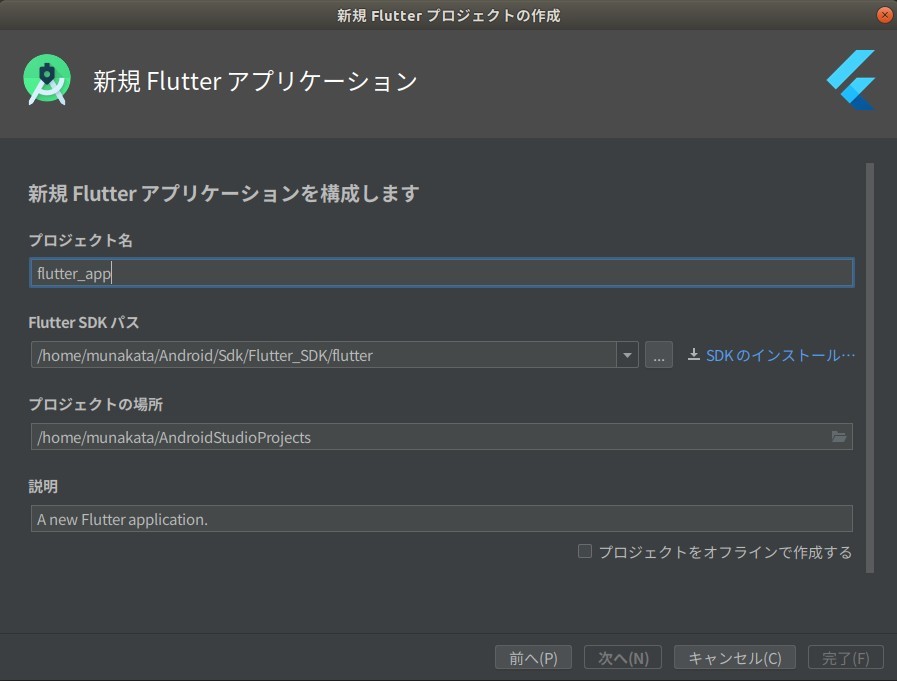
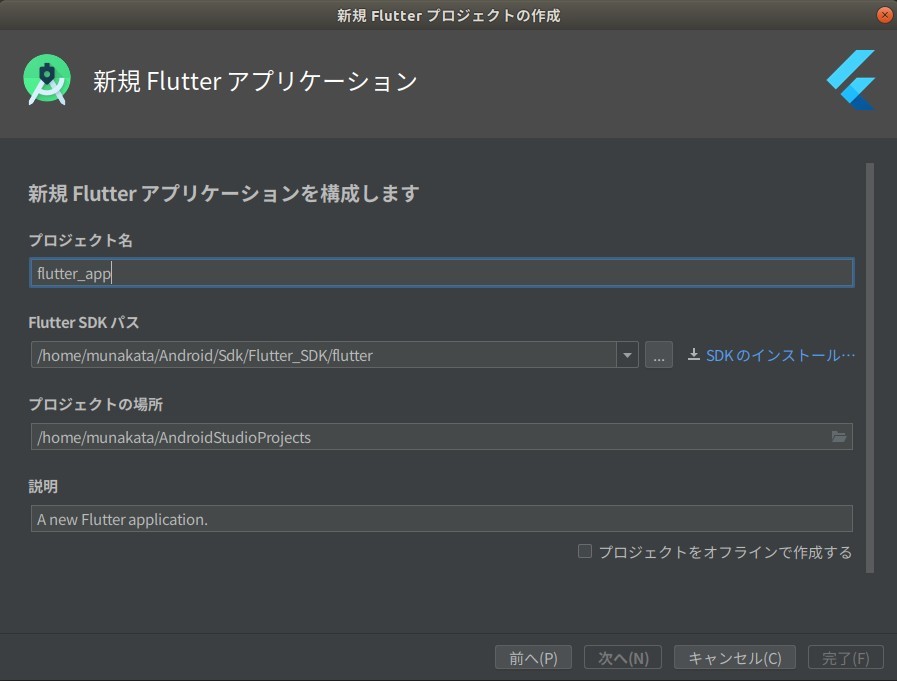
- Android Studio で [ファイル] → [新規] → [新規 Flutter プロジェクト] を実行
- ダイアログで Flutter SDK の場所に /snap/flutter を指定してもエラー(Flutter SDK is not found...)になった
- /home/munakata/Android/Sdk/Flutter_SDK ディレクトリーを作成し [SDK のインストール] を実行
- 改めてダイアログに /home/munakata/Android/Sdk/Flutter_SDK/flutter を指定すると先に進めた
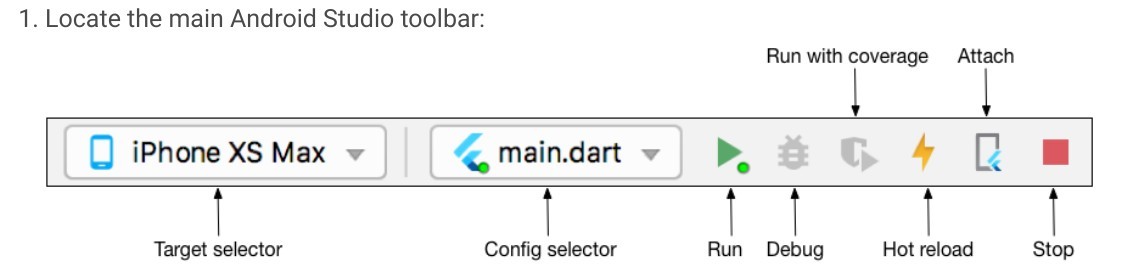
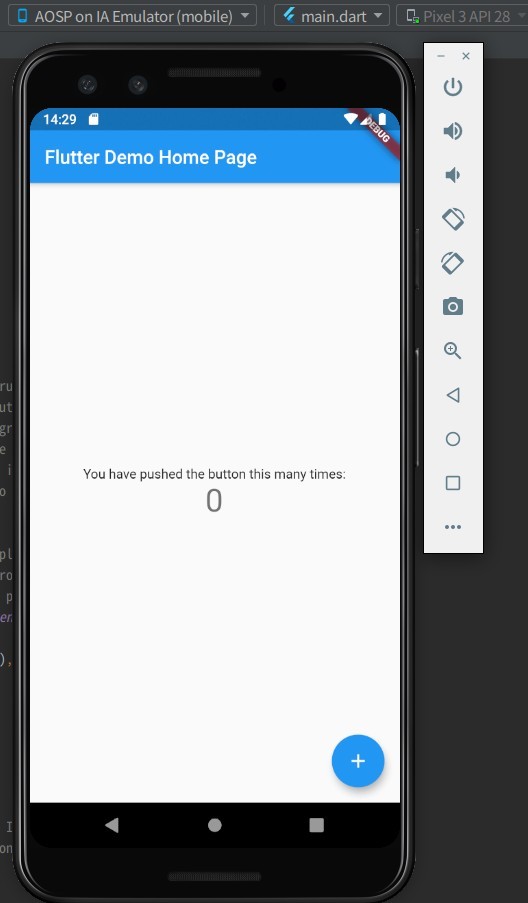
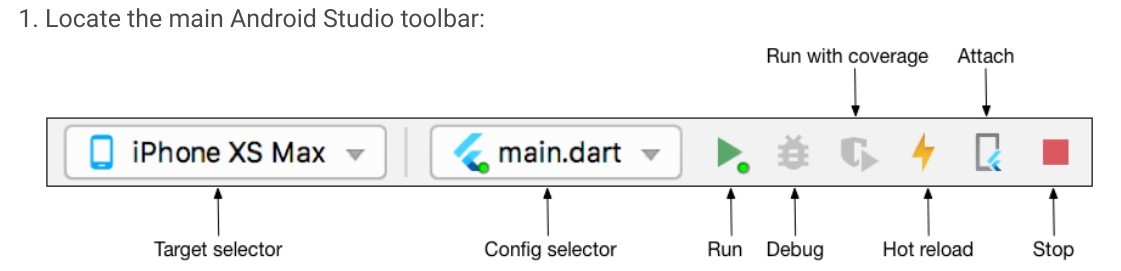
- Android Studio 上の Flutter Debug Toolbar
- Hot reload を使うとリビルドしなくても変更を反映できる
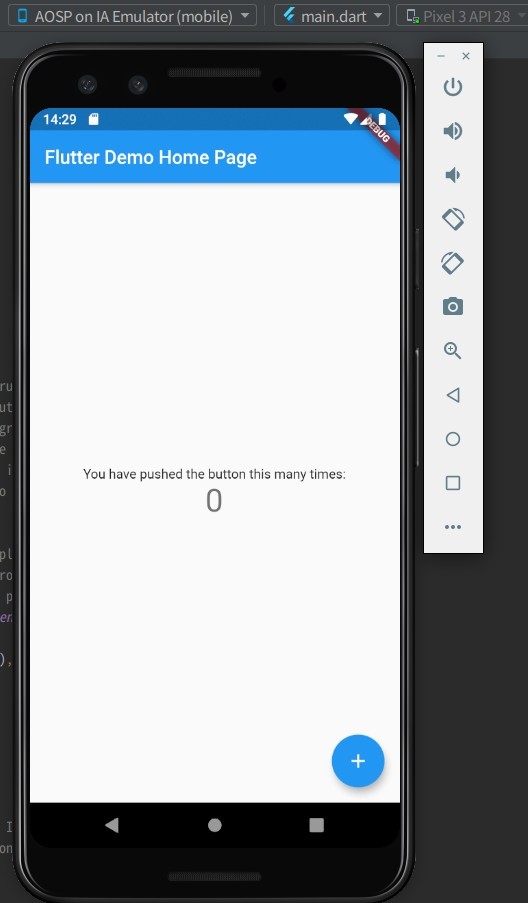
- 仮想デバイス上で Flutter アプリ(インストール状態)を起動できた
Flutter で Web アプリケーションを作成†
[local] munakata:~$ flutter channel beta
Switching to flutter channel 'beta'...
git: From https://github.com/flutter/flutter
git:    db6e2d8aa5..37ebe3d82a  dev                   -> origin/dev
git:  + 32f135ebf7...7ed19b19a9 experimental_skshaper -> origin/experimental_skshaper  (forced update)
git:  * [new branch]            flutter-1.23-candidate.14 -> origin/flutter-1.23-candidate.14
git:  * [new branch]            flutter-1.23-candidate.15 -> origin/flutter-1.23-candidate.15
git:  * [new branch]            flutter-1.23-candidate.16 -> origin/flutter-1.23-candidate.16
git:  * [new branch]            flutter-1.23-candidate.17 -> origin/flutter-1.23-candidate.17
git:  * [new branch]            flutter-1.23-candidate.18 -> origin/flutter-1.23-candidate.18
git:  * [new branch]            flutter-1.24-candidate.0 -> origin/flutter-1.24-candidate.0
git:    cb0bdb4994..1133c2e85c  master                -> origin/master
git:  * [new branch]            revert-67757-fast_start_test -> origin/revert-67757-fast_start_test
git:  * [new tag]               1.23.0-13.0.pre       -> 1.23.0-13.0.pre
git:  * [new tag]               1.23.0-18.0.pre       -> 1.23.0-18.0.pre
git: Switched to a new branch 'beta'
git: Branch 'beta' set up to track remote branch 'beta' from 'origin'.
Successfully switched to flutter channel 'beta'.
To ensure that you're on the latest build from this channel, run 'flutter upgrade'
[local] munakata:~$ flutter upgrade
Flutter is already up to date on channel beta
Flutter 1.22.1 • channel beta • https://github.com/flutter/flutter.git
Framework • revision f30b7f4db9 (7 days ago) • 2020-10-08 10:06:30 -0700
Engine • revision 75bef9f6c8
Tools • Dart 2.10.1
[local] munakata:~$ flutter config --enable-web
Setting "enable-web" value to "true".

You may need to restart any open editors for them to read new settings.
[local] munakata:~$ flutter doctor
Doctor summary (to see all details, run flutter doctor -v):
[✓] Flutter (Channel beta, 1.22.1, on Linux, locale ja_JP.UTF-8)

[✓] Android toolchain - develop for Android devices (Android SDK version 30.0.1)
[✓] Chrome - develop for the web
[✓] Android Studio (version 4.0)
[✓] VS Code (version 1.50.0)
[✓] Connected device (3 available)

• No issues found!
[local] munakata:~$ flutter devices
3 connected devices:

SH M07 (mobile)  • 353494090227537 • android-arm64  • Android 10 (API 29)
Web Server (web) • web-server      • web-javascript • Flutter Tools
Chrome (web)     • chrome          • web-javascript • Google Chrome 86.0.4240.75
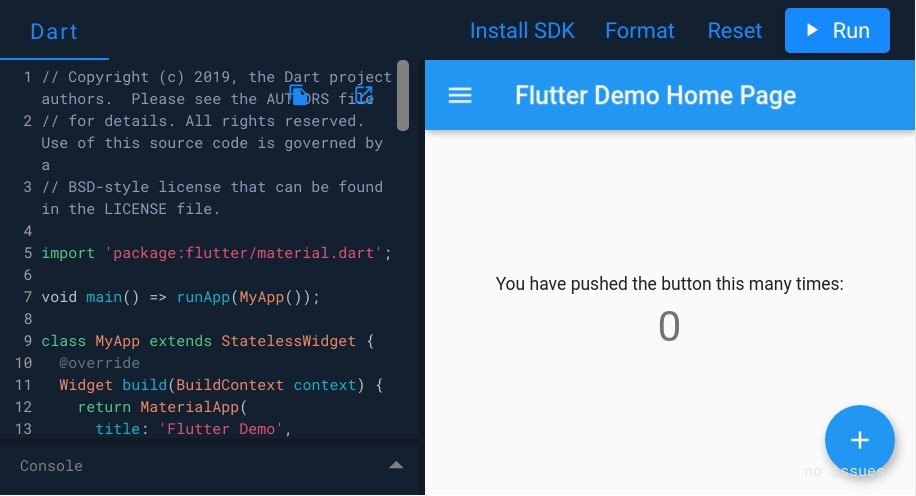
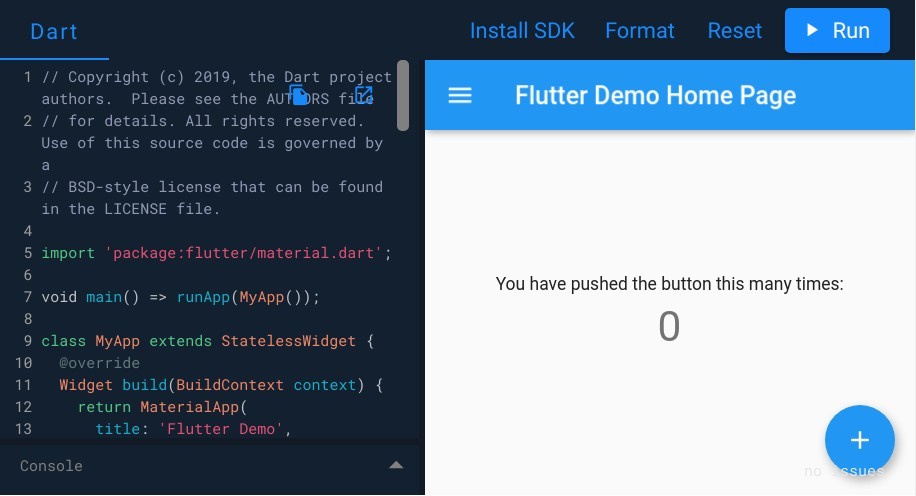
- DartPad
- DartPadはDartのコードをブラウザ上で実行できるサイト
- Dart だけでなく Flutter の実行結果も表示できる
- DartPad をブログなどに埋め込む方法
- Dart コードとコンソール(embed-dart)
- Dart コードと小さめのコンソール(embed-inline)
- Fluter コードとコンソールと HTML 出力(embed-flutter)
- Fluter コードとコンソールと 装飾可能な HTML 出力(embed-html)
Flutter の仕様†
- レイヤー構造
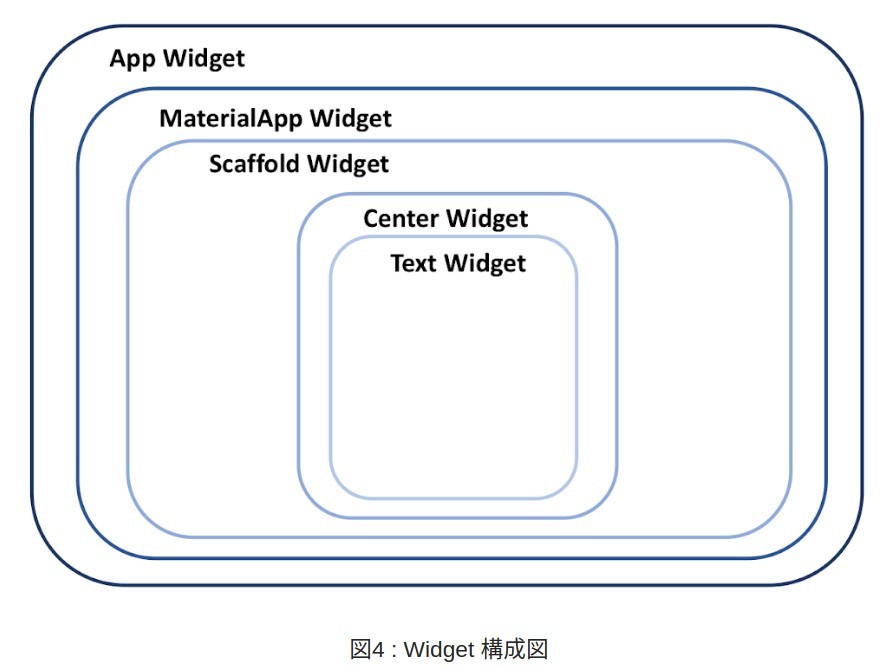
- In Flutter, almost everything is a Widget. Even the app itself is a widget. The app’s UI can be described as a widget tree.
- Flutter での UI 作成は Widget と呼ばれる小さなパーツを組み合わせる
- Flutter:Widget一覧 (Qitta)
- Basics - 最初に知っておくべきウィジェット
- Material Components - マテリアルデザインを実現するウィジェット
- Layout - レイアウトのためのウィジェット
- Styling - アプリのテーマやサイズ、パディングを実現するウィジェット
- Scrolling - スクロール可能なウィジェット
- Text - テキストウィジェット
- Assets, Images, and Icons - 画像やアイコン、アセット管理ウィジェット
- Input - ユーザー入力を取得するウィジェット
- Painting and effects - 視覚効果を実現するウィジェット
- Animation and Motion - アニメーションを実現するウィジェット
- Interaction Models - タッチイベントとビューのルーティングウィジェット
- Async - 非同期処理に基づいて自身をビルドするウィジェット
- Accessibility
- Cupertino(iOS-style widgets) - iOSデザインを実現するウィジェット
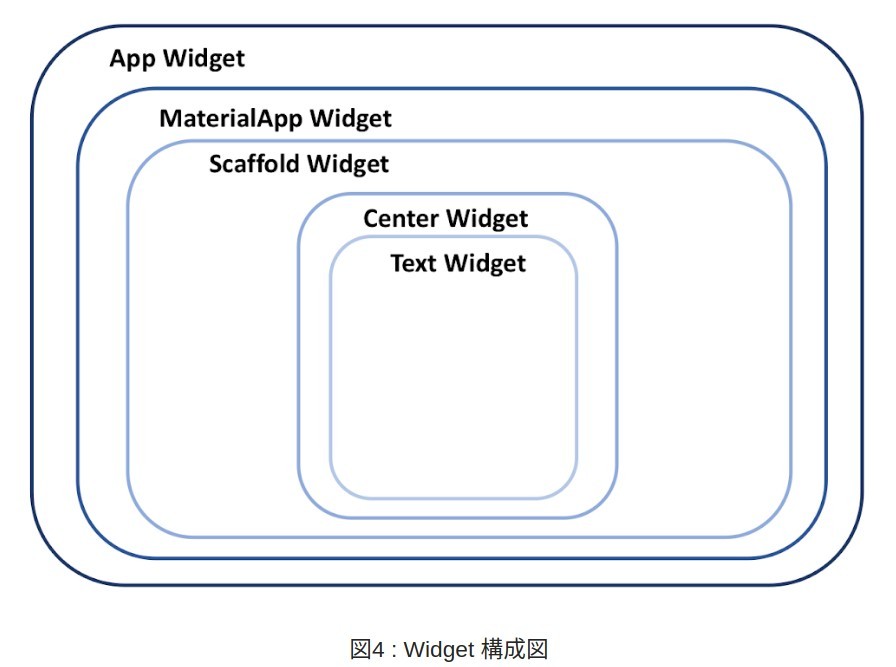
- Widget を 入れ子にして UI 作っていく
- Widget のレイヤー構造
Flutter による画面開発事例†
![[PukiWiki]](image/taikyoku.gif "[PukiWiki]")


 License android-sdk-preview-license.txt