![[PukiWiki]](image/taikyoku.gif "[PukiWiki]")
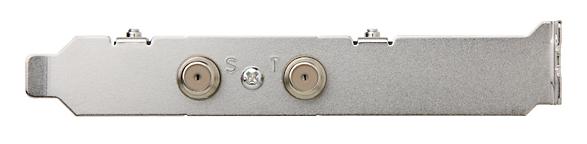

何も対策をせずにubuntu12.04をインストールして、SCR3310-NTTComを使おうとすると、録画に失敗する事がありますので、スマートカードリーダ関係のパッケージはバージョンを固定してインストールする必要がある。
$ server-admin@mythen:~$ sudo aptitude remove pcscd libpcsclite-dev libpcsclite1 libccid libpcsc-perl pcsc-tools
deb http://ftp.jaist.ac.jp/pub/Linux/ubuntu maverick main universe
deb-src http://ftp.jaist.ac.jp/pub/Linux/ubuntu maverick main universe
deb http://security.ubuntu.com/ubuntu maverick-security main universe
deb-src http://security.ubuntu.com/ubuntu maverick-security main universe
$ server-admin@mythen:~$ sudo apt-get update
$ server-admin@mythen:~$ sudo apt-get install pcscd=1.5.5-3ubuntu2.1 libpcsclite1=1.5.5-3ubuntu2.1 libccid=1.3.11-1 pcsc-tools=1.4.16-1
server-admin@mythen:~$ sudo dpkg --list | grep "pcscd\|libpcsclite1\|libccid\|pcsc-tools"
hi  libccid                                1.3.11-1                                PC/SC driver for USB CCID smart card readers
hi  libpcsclite1                         1.5.5-3ubuntu2.1                        Middleware to access a smart card using PC/SC (library)
hi  pcsc-tools                          1.4.16-1                                Some tools to use with smart cards and PC/SC
hi  pcscd                                1.5.5-3ubuntu2.1                        Middleware to access a smart card using PC/SC (daemon side)
server-admin@mythen:$ sudo apt-get install wajig
$ server-admin@mythen:~$sudo wajig hold pcscd
$ server-admin@mythen:~$sudo wajig hold libpcsclite1
$ server-admin@mythen:~$sudo wajig hold libccid
$ server-admin@mythen:~$sudo wajig hold pcsc-tools
server-admin@mythen:~$ sudo dpkg --get-selections | grep hold
libccid				hold
libpcsclite1				hold
pcsc-tools				hold
pcscd					hold
server-admin@mythen:~$ sudo pcsc_scan
PC/SC device scanner
V 1.4.16 (c) 2001-2009, Ludovic Rousseau <ludovic.rousseau@free.fr>
Compiled with PC/SC lite version: 1.5.3
Scanning present readers...
0: SCM SCR 3310 NTTCom 00 00

Sat Dec  1 12:41:34 2012
 Reader 0: SCM SCR 3310 NTTCom 00 00
  Card state: Card inserted, Shared Mode,
  ATR: 3B F0 12 00 FF 91 81 B1 7C 45 1F 03 99

ATR: 3B F0 12 00 FF 91 81 B1 7C 45 1F 03 99
+ TS = 3B --> Direct Convention
+ T0 = F0, Y(1): 1111, K: 0 (historical bytes)
  TA(1) = 12 --> Fi=372, Di=2, 186 cycles/ETU
    21505 bits/s at 4 MHz, fMax for Fi = 5 MHz => 26881 bits/s
  TB(1) = 00 --> VPP is not electrically connected
  TC(1) = FF --> Extra guard time: 255 (special value)
  TD(1) = 91 --> Y(i+1) = 1001, Protocol T = 1
-----
  TA(2) = 81 --> Protocol to be used in spec mode: T=1 - Unable to change - defined by interface bytes
  TD(2) = B1 --> Y(i+1) = 1011, Protocol T = 1
-----
  TA(3) = 7C --> IFSC: 124
  TB(3) = 45 --> Block Waiting Integer: 4 - Character Waiting Integer: 5
  TD(3) = 1F --> Y(i+1) = 0001, Protocol T = 15 - Global interface bytes following
-----
  TA(4) = 03 --> Clock stop: not supported - Class accepted by the card: (3G) A 5V B 3V
+ Historical bytes:
+ TCK = 99 (correct checksum)

Possibly identified card (using /usr/share/pcsc/smartcard_list.txt):
3B F0 12 00 FF 91 81 B1 7C 45 1F 03 99
	Japanese Chijou Digital B-CAS Card (pay TV)  <---- ■ 正しく BS 赤カードを認識していることを確認 ■
wget http://hg.honeyplanet.jp/pt1/archive/c44e16dbb0e2.zip
unzip c44e16dbb0e2.zip
cd pt1-c44e16dbb0e2/arib25
make
sudo make install
$ tar -zxvf pt1-drv_20111001.tar.gz
$ cd pt1-7662d0ecd74b/recpt1
 pt1_dev.h
server-admin@mythen:~$ cat Downloads/pt1-7662d0ecd74b/recpt1/pt1_dev.h
/* -*- tab-width: 4; indent-tabs-mode: nil -*- */
#ifndef _PT1_DEV_H_
#define _PT1_DEV_H_
char *bsdev[NUM_BSDEV] = {
"/dev/pt3video1",
"/dev/pt3video0",
"/dev/pt3video5",
"/dev/pt3video4",
"/dev/pt3video9",
"/dev/pt3video8",
"/dev/pt3video13",
"/dev/pt3video12"
};
char *isdb_t_dev[NUM_ISDB_T_DEV] = {
"/dev/pt3video2",
"/dev/pt3video3",
"/dev/pt3video6",
"/dev/pt3video7",
"/dev/pt3video10",
"/dev/pt3video11",
"/dev/pt3video14",
"/dev/pt3video15"
};
以下は変更なし$ ./autogen.sh $ ./configure --enable-b25 $ make clean $ make $ sudo make install
<ドライバインストール時の注意事項>
Ubuntu 10.10 からは標準ドライバ(DVB版)が使われるようになったらしいのですが、
以前より使われているchardev版の方を利用します。
$ sudo echo "blacklist earth-pt1"  >> /etc/modprobe.d/blacklist.conf
$ git clone https://github.com/m-tsudo/pt3.git
$ cd pt3/
$ git log
$ make clean ; make
$ sudo make install
$ server-admin@mythen:~$  ls -la /dev/pt* | grep video
crw-rw-rw- 1 root video 249, 0 11月 24 09:11 /dev/pt3video0
crw-rw-rw- 1 root video 249, 1 11月 24 09:11 /dev/pt3video1
crw-rw-rw- 1 root video 249, 2 11月 24 09:11 /dev/pt3video2
crw-rw-rw- 1 root video 249, 3 11月 24 09:11 /dev/pt3video3
server-admin@mythen:~$ recpt1 --b25 --strip 27 20 test.ts
using B25...
enable B25 strip
pid = 3882
C/N = -nandB
Recording...
Recorded 21sec
sudo apt-get install apache2 php5 libapache2-mod-php5 php5-cli mysql-server php5-mysql
cd epgdumpr2
make clean ; make
sudo cp epgdump /usr/local/bin
mysql -uroot -p <--- mysqladmin を入力
create database epgrec;
grant all on epgrec.* to epgrec@localhost identified by mysqladmin;
FLUSH PRIVILEGES;
lrwxrwxrwx 1 root root 26 11月 18 16:08 epgrec -> /raid_vol/www/html/epgrec/
config.phpepgrec で録画済ファイルを削除しようとしたときに、”Error過去の録画予約です”と表示され、削除できなくなることがある。
server-admin@mythen:~$ mysql -u root -p
Enter password:  <--- mysqladmin
Welcome to the MySQL monitor.  Commands end with ; or \g.
Your MySQL connection id is 185
Server version: 5.5.28-0ubuntu0.12.04.2 (Ubuntu)
mysql> show databases;
+--------------------+
| Database           |
+--------------------+
| information_schema |
| epgrec             |
| gallery3           |
| mysql              |
| performance_schema |
| test               |
+--------------------+
6 rows in set (0.00 sec)

mysql> use epgrec
Reading table information for completion of table and column names
You can turn off this feature to get a quicker startup with -A

Database changed
mysql> select id, complete from Recorder_reserveTbl where endtime < now();
+----+----------+
| id | complete |
+----+----------+
|  2 |        0 |
|  7 |        1 |
| 17 |        0 |
| 35 |        1 |
+----+----------+
7 rows in set (0.00 sec)
mysql> start transaction;
Query OK, 0 rows affected (0.00 sec)

mysql> update Recorder_reserveTbl set complete = 1 where id =2;
Query OK, 1 row affected (0.00 sec)
Rows matched: 1  Changed: 1  Warnings: 0

mysql> update Recorder_reserveTbl set complete = 1 where id =17;
Query OK, 1 row affected (0.00 sec)
Rows matched: 1  Changed: 1  Warnings: 0

mysql> commit;
Query OK, 0 rows affected (0.00 sec)
mysql> select id, complete from Recorder_reserveTbl where endtime < now();
+----+----------+
| id | complete |
+----+----------+
|  2 |        1 |
|  7 |        1 |
| 17 |        1 |
| 35 |        1 |
| 36 |        1 |
| 37 |        1 |
| 43 |        1 |
+----+----------+
7 rows in set (0.00 sec)

mysql> \q;
Bye
$filename = preg_replace("/\x{301c}/u","_", trim($filename) ); // U+301C WAVEDASH
$filename = preg_replace("/\x{ff5e}/u","_", trim($filename) ); // U+FF5E FULLWIDTH TIL


