インストールしたバージョン†
- Android Studio 4.0.1 (2020-07-25)
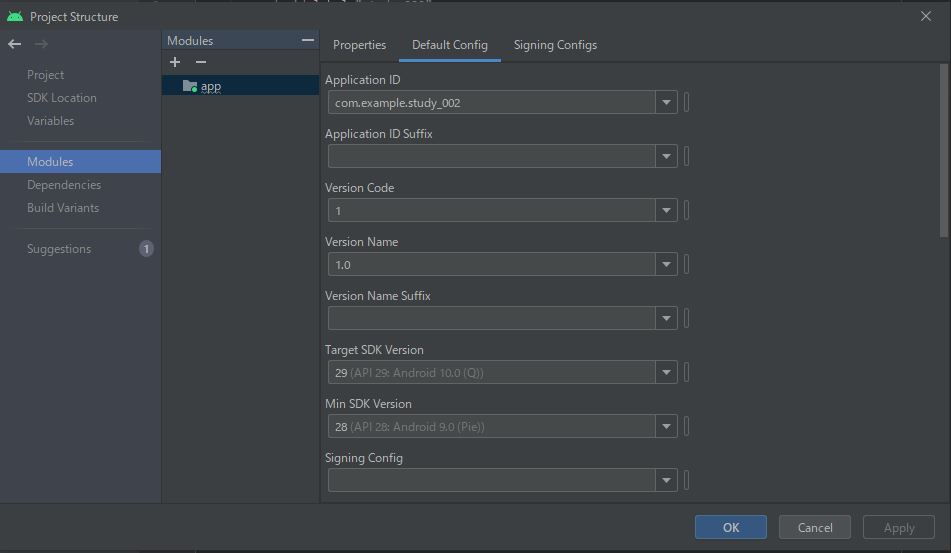
アプリケーションの SDK バージョンの確認と設定†
- [File] - [Project Structure (Ctrl+Alt+Shift+S)] で Default Config タグ
git 連携†
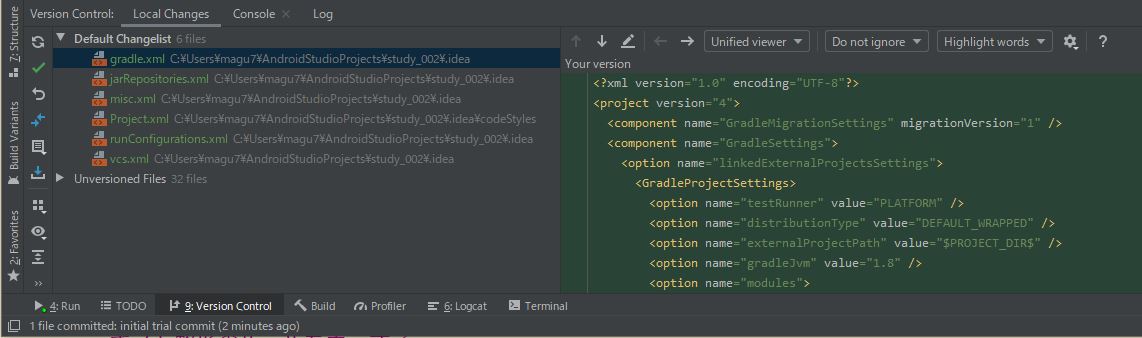
- [VCS] - [Enable Version Control Integration...] を選択
- プルダウンから [Git] を選択
- この時点で project 配下に git ディレクトリ (=local repo) が作られる
- Android Studio の左下に [Version Control] タブが出現し、ここからファイルのコミットや修正の取り消し(Revert)が出来るようになる
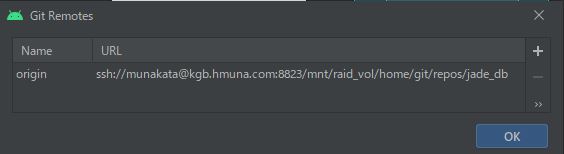
- remote repo 登録
- [VCS] - [Git] - [remote] ( ssh://munakata@kgb.hmuna.com:8823/mnt/raid_vol/home/git/repos/jade_db )
- git push への対応
- git clone で新規プロジェクトを開始
- [File] - [New] - [Project from Version Control] - [Git]
![[PukiWiki]](image/taikyoku.gif "[PukiWiki]")